
Merging two active WordPress databases is often treated as a nightmare scenario(WordPress data migration pipeline). Many developers attempt to copy raw SQL tables, only to watch their primary key relationships collapse into a tangled mess of orphaned metadata and broken media links. This guide provides a strategic, repeatable solution: a custom WordPress data migration pipeline. By treating your content as structured data, you can build a scriptable ETL (Extract, Transform, Load) system that guarantees data integrity across environments.
Table of Contents
Why Standard WordPress Merges Fail
The fundamental flaw in WordPress architecture for merging is its use of auto-incrementing integer primary keys(WordPress data migration pipeline). If you have two databases—Database A (Production) and Database B (Reconstruction)—both will assign the next available number (e.g., ID 4821) to entirely different posts. When you try to merge the `wp_posts` tables directly via SQL, these IDs collide.
Furthermore, featured images are not stored as URLs; they are stored as integer IDs in the `wp_postmeta` table under `_thumbnail_id`. If you copy the meta data blindly, your new site will look for media ID 504 in its own library, resulting in broken images. To achieve a perfect merge, you must use a pipeline that extracts data, transforms the schema, and loads it with entirely new IDs.
Phase 1: Environment Prep & The Extract Phase
Before writing any script, you must isolate your source data(WordPress data migration pipeline). In our scenario, the target environment is cvhowlad_wp2next, and we need to merge in data from a reconstruction backup.
- Create a Temporary Database: In phpMyAdmin, create a staging ground (e.g.,
cvhowlad_wp2next_temp). - Restore the Backup: Import your reconstruction
.sqlbackup into this temporary database. This is our source. - Grant Privileges: Crucially, grant the WordPress MySQL user
SELECTprivileges on this temporary database so the WP-CLI script can read from it. - Unify Post Types (The Transform Step): Production data often uses theme-specific post types (like Noxfolio’s
noxfolio_portfolio). Run a direct SQL update to convert these into your target post type so the frontend can read them:UPDATE `7C7iiW_posts` SET post_type = 'project' WHERE post_type = 'noxfolio_portfolio';
Phase 2: Building the Custom WP-CLI ETL Script
Instead of relying on fragile XML importers, we use a custom PHP script executed via WP-CLI. This is the core of a senior-level WordPress data migration pipeline. The script is idempotent (safe to run multiple times) and handles the heavy lifting of remapping IDs and downloading media.
Create a file named merge-pipeline.php in your target site’s root directory and paste the following code. This script checks for existing posts by slug to prevent duplicates and automatically handles image sideloading.
<?php /** * Strategic ETL Pipeline: Merge Reconstruction Projects into Target * Run via: wp eval-file merge-pipeline.php dry-run */ global $wpdb; $dry_run = in_array( 'dry-run', $args ); $source_db = 'cvhowlad_wp2next_temp'; $target_db = $wpdb->dbname; require_once( ABSPATH . 'wp-admin/includes/media.php' ); require_once( ABSPATH . 'wp-admin/includes/file.php' ); require_once( ABSPATH . 'wp-admin/includes/image.php' ); echo "Starting Pipeline... Target: $target_db | Source: $source_db\n"; if ($dry_run) echo ">>> DRY RUN MODE: No data will be written <<<\n"; $projects = $wpdb->get_results(" SELECT p.* FROM `$source_db`.`7C7iiW_posts` p WHERE p.post_type = 'project' AND p.post_status != 'trash' "); foreach ($projects as $p) { $exists = $wpdb->get_var($wpdb->prepare( "SELECT ID FROM `$target_db`.`7C7iiW_posts` WHERE post_name = %s AND post_type = 'project'", $p->post_name )); if ($exists) { echo "[-] Skipping (Already exists): {$p->post_title}\n"; continue; } echo "[+] Processing: {$p->post_title}\n"; if (!$dry_run) { $new_id = wp_insert_post([ 'post_title' => $p->post_title, 'post_content' => $p->post_content, 'post_status' => $p->post_status, 'post_type' => 'project', 'post_name' => $p->post_name, 'post_date' => $p->post_date, 'post_author' => 1, ]); $meta_rows = $wpdb->get_results($wpdb->prepare(" SELECT meta_key, meta_value FROM `$source_db`.`7C7iiW_postmeta` WHERE post_id = %d ", $p->ID)); foreach ($meta_rows as $meta) { if (strpos($meta->meta_key, '_edit_lock') !== false) continue; if ($meta->meta_key === '_thumbnail_id') { $image_url = $wpdb->get_var($wpdb->prepare(" SELECT guid FROM `$source_db`.`7C7iiW_posts` WHERE ID = %d ", (int) $meta->meta_value)); if ($image_url) { $new_attachment_id = media_sideload_image( $image_url, $new_id, $p->post_title, 'id' ); if (!is_wp_error($new_attachment_id)) { update_post_meta($new_id, '_thumbnail_id', $new_attachment_id); } } continue; } update_post_meta($new_id, $meta->meta_key, maybe_unserialize($meta->meta_value)); } } } echo "Pipeline Finished.\n"; Phase 3: Execution and Final Verification
Senior best practice dictates never running a migration script without a dry run(WordPress data migration pipeline). This ensures you catch errors before data is written.
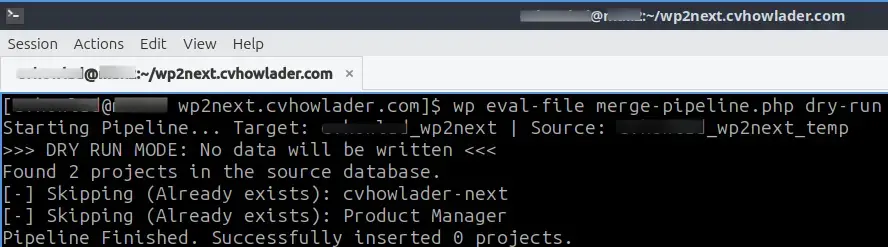
- Run the dry run to verify connectivity:
wp eval-file merge-pipeline.php dry-run - Run the actual migration:
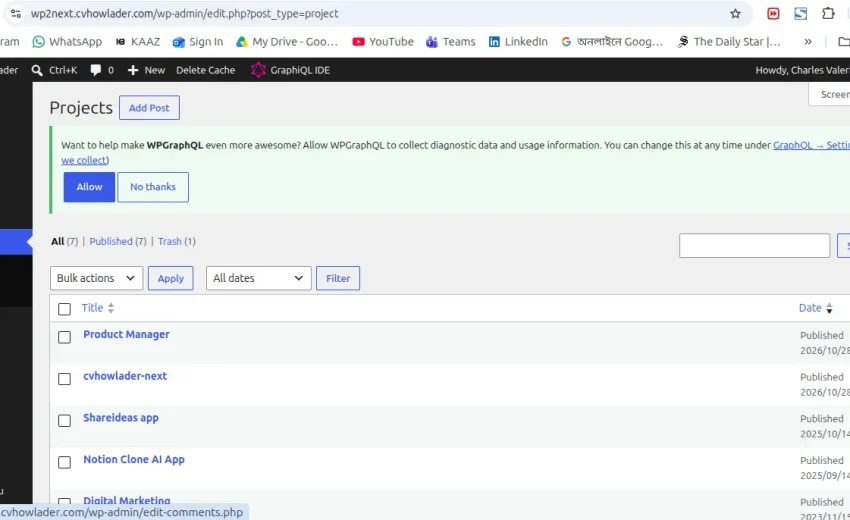
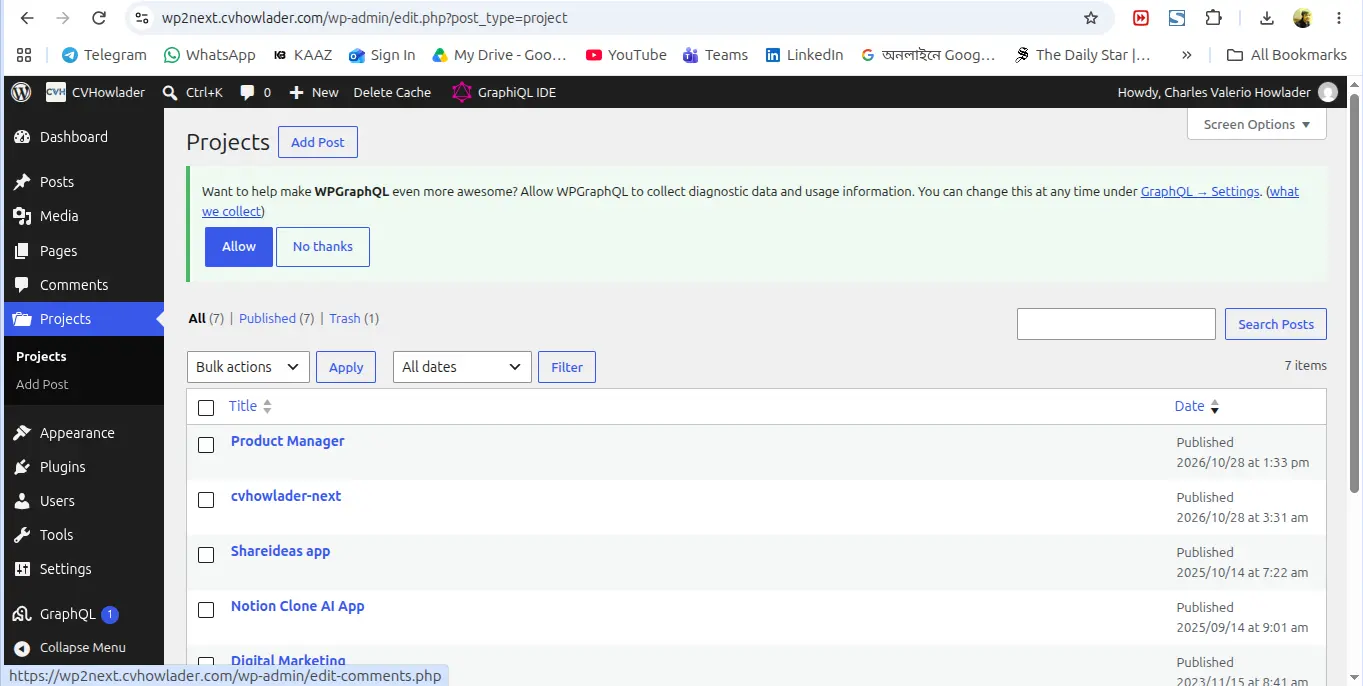
wp eval-file merge-pipeline.php - Verify in the admin dashboard that all projects from both environments are now present and images are displaying correctly.
- Clean up: Drop the temporary database and remove the script.
Why This Method is the Gold Standard
This methodology is the senior standard because it separates code from content(WordPress data migration pipeline), ensuring safety. By using `wp_insert_post()` and `media_sideload_image()`, the system generates entirely new IDs, completely eliminating the primary key collisions that corrupt databases. The script is version-controllable, meaning you can put it in Git and reuse it for future merges with minimal adjustments. It is a robust, repeatable WordPress data migration pipeline that you can trust for any complex deployment.
Frequently Asked Questions
Can I run this script twice?
Yes, the script checks for existing slugs, making it idempotent.
What happens to media files?
The script uses `media_sideload_image()` to physically download and attach the images to the new post IDs.
Final Thoughts
Migrating data doesn’t have to be a manual, error-prone task(WordPress data migration pipeline). By leveraging the power of WP-CLI and a custom ETL script, you can transition between environments or merge content seamlessly.
Don’t forget to check my homepage!
November 6, 2026