
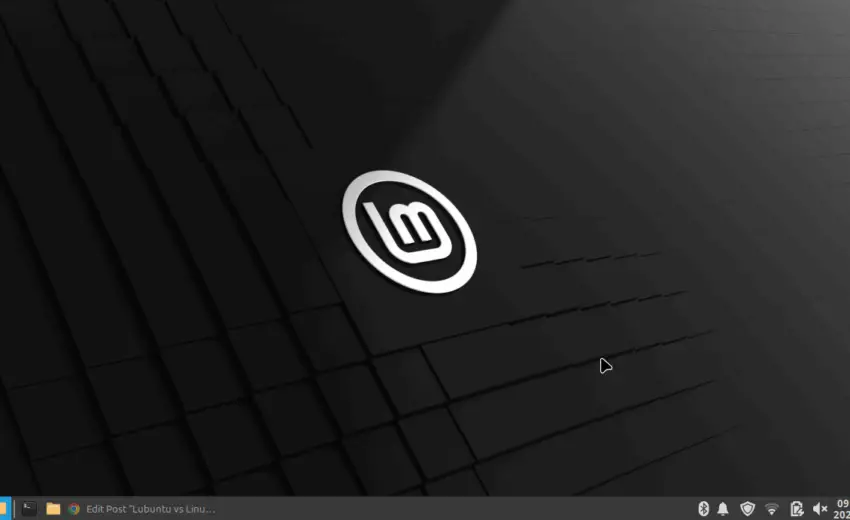
Lubuntu vs Linux Mint XFCE: The Ultimate 2025 Performance Showdown
Choosing between Lubuntu vs Linux Mint XFCE is a classic dilemma for anyone looking to resurrect an old laptop or build an ultra-responsive desktop. Both promise a lightweight, fast, and stable experience, but they achieve it in fundamentally different ways. As of August 2025, with hardware demands always on the rise, making the right choice is more critical than ever.
I recently put this to the test on my own aging laptop. I didn’t just read reviews; I installed and used both Lubuntu 24.04 LTS and Linux Mint 22 XFCE as my daily driver to find a definitive answer. This in-depth comparison covers everything from idle RAM usage to the “feel” of heavy multitasking.
If you have an older machine with 4GB or 8GB of RAM, this real-world test will help you decide which OS is truly the best fit for your needs.
What is Lubuntu? The LXQt Speedster
Lubuntu is an official, community-maintained derivative of Ubuntu. Its single-minded mission is speed and efficiency. To accomplish this, it uses the LXQt (Lightweight Qt Desktop Environment). Think of Lubuntu as the minimalist sprinter; it sheds every non-essential component to deliver the fastest possible performance on the absolute oldest hardware.
Key Characteristics of Lubuntu:
- Base: Built on the rock-solid foundation of Ubuntu LTS, giving you access to a massive software repository.
- Desktop Environment: LXQt, known for its extremely low memory footprint.
- Philosophy: Function over form. It’s lean, fast, and provides a basic, no-frills computing experience out of the box.
What is Linux Mint XFCE? The Polished Performer
Linux Mint is famous for its user-centric design and incredible polish. It’s often hailed as the best starting point for users leaving Windows. The XFCE edition specifically targets users who want Mint’s famous usability in a less resource-intensive package than its main Cinnamon desktop.
Key Characteristics of Linux Mint XFCE:
- Base: Also built on Ubuntu LTS, ensuring stability and compatibility.
- Desktop Environment: XFCE, a classic and highly-regarded DE that perfectly balances performance with features and customizability.
- Philosophy: “It just works.” Mint provides a complete, polished, and intuitive experience from the first boot.
The Core Technical Difference: XFCE vs LXQt
The heart of the Lubuntu vs Linux Mint XFCE debate is the battle between their respective desktop environments.
- LXQt (in Lubuntu) is built with the Qt toolkit. It’s modern and modular. Its primary advantage is its incredibly low resource usage, making it a champion for PCs with 2GB of RAM or less.
- XFCE (in Linux Mint) is built with the GTK toolkit. It has been refined over many years and is known for its stability and vast customization options. While slightly heavier than LXQt, it often feels more cohesive and feature-rich.
My Performance Test: Lubuntu vs Linux Mint XFCE on an Old Laptop
Theory is one thing, but real-world performance is what matters. Here’s how both operating systems performed on my test machine.
Test Bench: An old Dell Latitude laptop with an Intel Core i5 (2nd Gen), 4GB of DDR3 RAM, and a 250GB 5400RPM Hard Disk Drive (HDD).
Round 1: Idle RAM Usage
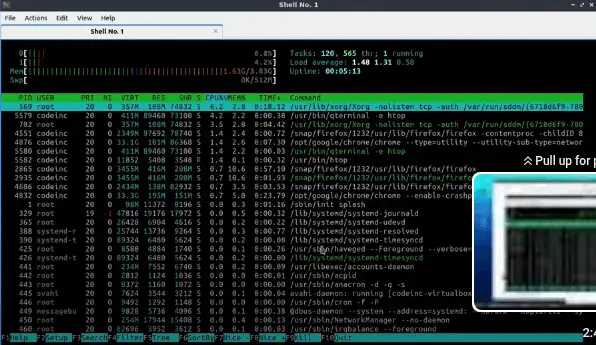
After a fresh boot and letting the system settle for 2 minutes, here were the results from the htop command:
- Lubuntu 24.04 LTS: ~380MB
- Linux Mint 22 XFCE: ~510MB
Winner: Lubuntu. It is undeniably lighter on system memory when doing nothing.
Round 2: Heavy Multitasking Stress Test
This is where the user experience really diverges. I opened Firefox with 5 tabs (including YouTube), the LibreOffice Writer document editor, and the file manager simultaneously.
- Lubuntu Experience: The system remained functional, but I noticed definite lag when switching between applications. Window animations stuttered, and the HDD was constantly active. It felt like it was hitting the limits of the 4GB RAM.
- Linux Mint XFCE Experience: This was the big surprise. Despite a higher idle RAM usage, Mint felt significantly smoother under the exact same load. Switching between Firefox and LibreOffice was fluid, and the desktop remained responsive. Mint’s memory management and I/O handling felt superior on this hardware.
Winner: Linux Mint XFCE. It provided a far more usable and pleasant experience when the pressure was on.
Who Should Choose Lubuntu in 2025?
You should choose Lubuntu if:
- Your machine has 2GB of RAM or less. In this scenario, every megabyte counts, and Lubuntu’s extreme lightness is a necessity.
- You are a minimalist who wants a bare-bones system to build upon.
- You need to set up a simple kiosk or a single-purpose machine where background resources must be kept to an absolute minimum.
For a deeper dive, you can visit the official Lubuntu website.
Who Should Choose Linux Mint XFCE in 2025?
You should choose Linux Mint XFCE if:
- You have a machine with 4GB of RAM or more.
- You want the best balance of performance and polish. This is the key takeaway from this Lubuntu vs Linux Mint XFCE analysis.
- You are new to Linux and want a welcoming, intuitive experience without needing to tinker.
- You value a smooth, fluid user experience during everyday multitasking.
You can learn more and download it from the official Linux Mint website.
Head-to-Head Comparison: Lubuntu vs Linux Mint XFCE
Here’s a breakdown of how these two operating systems stack up in key areas.
| Feature | Lubuntu LTS | Linux Mint XFCE | Winner |
| Base System | Ubuntu | Ubuntu | Tie |
| Desktop Env. | LXQt (Extremely Light) | XFCE (Very Light & Polished) | Mint (for polish) |
| Idle RAM Usage | Slightly Lower (~350-450MB) | Marginally Higher (~450-550MB) | Lubuntu |
| Default Apps | Minimalist (Featherpad, Trojitá) | Comprehensive (GIMP, LibreOffice) | Mint (for beginners) |
| Ease of Use | Good, but requires some tweaking | Excellent, very intuitive | Mint |
| Customization | Good | Excellent | Mint |
| Community | Strong (via Ubuntu) | Very Strong & Active | Tie |
My Real-World Performance Test: The Deciding Factor
Metrics on paper are one thing, but how do they feel? I tested both on my laptop (an older model with an Intel Core i5, 4GB of RAM, and a standard HDD).
The Lubuntu LTS Experience
Lubuntu booted up incredibly fast. On idle, the RAM usage was impressively low, often sitting just under 400MB. Opening applications like the file manager or terminal was instantaneous.
However, when I started multitasking—running a web browser with several tabs, a document editor, and playing music—I noticed occasional, minor stutters. The system remained usable, but it didn’t feel completely fluid under pressure.
The Linux Mint XFCE Experience
On the same hardware, Linux Mint XFCE used slightly more RAM at idle, around 500MB. However, the difference in user experience was night and day. Linux Mint XFCE was the clear winner for me.
Despite the slightly higher idle RAM usage, the system felt significantly smoother and more responsive, especially while multitasking. Window animations were fluid, switching between apps was seamless, and the system never felt like it was struggling. My theory is that XFCE, coupled with Mint’s excellent system optimizations, handles system resources more gracefully under load.
Who Should Choose Lubuntu LTS?
You should choose Lubuntu LTS if:
- You are running on extremely resource-constrained hardware (e.g., 2GB of RAM or less).
- You prioritize the absolute lowest possible resource usage above all else.
- You prefer a minimal, “blank slate” experience that you can build upon.
- You are a fan of the Qt application ecosystem.
Who Should Choose Linux Mint XFCE?
You should choose Linux Mint XFCE if:
- You want the best balance of lightweight performance and modern features.
- You are a beginner or transitioning from Windows and want a polished, intuitive experience right out of the box.
- Your hardware is old but still decent (e.g., 4GB of RAM or more).
- You value a stable, customizable, and buttery-smooth desktop experience.
Conclusion: The Winner is… Your Choice
While both Lubuntu LTS and Linux Mint XFCE are top-tier choices for reviving an older laptop, my personal recommendation goes to Linux Mint XFCE.
It hits the perfect sweet spot between low resource usage and a polished, professional-feeling desktop. The slightly higher RAM usage is a tiny price to pay for the significant boost in subjective smoothness and overall usability.
Ultimately, the “best” distro is the one that works best for you and your machine. If you have a few spare minutes, I highly recommend you test both using a live USB and see for yourself!
What’s your experience? Have you tried Lubuntu or Linux Mint XFCE? Let me know which one you prefer in the comments below!
Frequently Asked Questions (FAQ)
For a 4GB RAM laptop, is Lubuntu or Mint XFCE better?
Based on my tests, Linux Mint XFCE is better for a 4GB RAM laptop. While Lubuntu uses less RAM at idle, Mint XFCE handles multitasking and general usage more smoothly, providing a better overall user experience.
Which is better for a complete beginner?
Linux Mint XFCE is unquestionably better for beginners. Its welcome screen, driver manager, and thoughtful collection of pre-installed software make it far more user-friendly than Lubuntu.
Can I make Lubuntu look as good as Linux Mint?
Yes, you can customize Lubuntu with different icon packs, themes, and widgets. However, achieving the same level of polish and cohesiveness as Linux Mint requires significant time and effort. Mint provides that polish right out of the box.

August 10, 2025
The Digital Foundation: Why Every Business MUST Have...
August 10, 2025
Erik P May 1, 2026
So I have used Linux Mint since it came out (started on Ubuntu about 4 years before). Mint MATE for me is outstanding (now xfce has more bells and whistles, MATE and xfce use about the same RAM, and on some computers can be less). I still love it, but waiting for latest version of Mint I installed LxQt desktop on my Mint. Wow – superfast. It was a noticeable difference. Cos I generally fresh install, I didn’t want something I need to always do lots of tweaking on, so soon after I tried Lubuntu.
Now, to be fast and because I HATE snaps, I used Lubuntu minimal installation (I think only Ubuntu version that is not snaps by default). Being minimal meant no software manager gui like synaptic or Discover (Lubuntu normal) etc. However it does have “apt”. If you are happy installing from the command line eg sudo apt install (name of app), you are fine. Indeed you can just install synaptic or discover if you must. ALSO, you need to put in the occasional repository. To be honest, with AI, all this stuff is super easy now.
So yes, I have a brilliantly fast OS on a moderate machine (8GB RAM, SSD hard drive, i5 8th gen). Response time of a computer is one of the MAIN features most workers want, but is often overlooked. Indeed at first I set it up for a slower smoother opening of windows cos it was shockingly immediate (but now I dont). As for LxQt, the menu isn’t as pretty as MATE, or CInnamon, but comparable to xfce. I realised though.. I don’t look much at the menu. All my regular apps I put as launchers on a left hand autohide panel. Once set up, it’s so clean simple, attractive and fast. I work hard.. so I have found the set up that suits me and delivers optimum speed and it has excellent stability (and Lubuntu, minimal especially, has a tiny footprint… Mint seems to be exponentially growing – possibly competing with likes of Zorin).
Bottom line, I would go back to Linux Mint MATE no problem (and always hats off to an amazing team), but Lubuntu minimal is faster, smaller, and does exactly the same (maybe a tiny bit more setup.. like maybe 1 hour to get software etc that I want, but its worth it).
Charles Valerio Howlader May 21, 2026
Great insight! Speed truly is the ultimate productivity feature, and your minimal Lubuntu setup sounds like an absolute powerhouse for an 8th-gen i5.It is fascinating how snappy a system gets once you strip out the snap packages and heavy desktop environments. Your point about the panel launchers is spot on too—once you are in your workflow, the actual desktop menu becomes secondary to raw performance. Mint is still a masterpiece of stability, but for pure, lightweight efficiency, your minimal approach is tough to beat. Thanks for sharing your setup timeline!